联系方式Contact
如有任何问题、建议或反馈,请发送邮件至:
mike_0528@163.com
For questions, suggestions, or feedback, please email:
mike_0528@163.com
我们会尽快回复(通常在 1–2 个工作日内)。We usually reply within 1–2 business days.
发送邮件Send Email常见问题FAQ
如何使用?
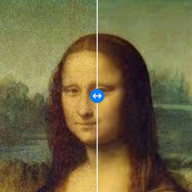
① 选择降噪 / 上色 / 放大模式 → ② 选择一组照片 → ③ 预览第一张的效果并拖动滑块对比前后 → ④ 一键批量处理并保存到相册。
它能做什么?
三种设备端 AI 能力:① 整图盲降噪,去除高 ISO 噪点、颗粒与 JPEG 压缩伪影;② 老照片自动上色,为黑白与褪色照片补全色彩;③ 超分放大,把低清照片智能放大得更清晰。均无需手动框选区域。
哪些功能要付费?
降噪功能免费使用。上色等高级功能由 ClarityAI Pro 一次性买断解锁(非订阅、无自动续费,含后续新增功能)。已购买可在付费页通过“恢复购买”在同一 Apple ID 的设备上恢复。
上色会改变人脸吗?
不会。上色仅为整图补全色彩,保留原图的明暗、五官与构图,不进行任何人脸检测或换脸。
App 会上传我的照片吗?
不会。所有功能都在你的设备本地完成,App 不联网、不上传、不收集任何数据,也不依赖任何第三方 AI 服务。详见隐私政策。
App 会处理人脸数据吗?
不会。App 不进行任何人脸检测、识别或面部特征提取;降噪为整图盲降噪,上色仅补全色彩,均不针对人脸做任何分析。
处理后的照片保存在哪里?
仅在你主动点击“保存到相册”时写回系统相册,App 不会在后台保留副本。
为什么需要相册权限?
读取权限用于导入你选择的照片;写入权限用于把处理结果保存回相册。两者都仅在你操作时使用。
How do I use it?
① Choose Denoise / Colorize / Upscale mode → ② Select a set of photos → ③ Preview the result on the first one and drag the slider to compare → ④ Batch-process and save to your photo library in one tap.
What does it do?
Three on-device AI capabilities: ① whole-image blind denoising that removes high-ISO noise, grain, and JPEG compression artifacts; ② automatic colorization for black-and-white and faded photos; ③ super-resolution that intelligently upscales low-res photos. No manual region selection needed.
Which features are paid?
Denoising is free. Premium features such as colorization are unlocked by a one-time ClarityAI Pro purchase (non-subscription, no auto-renewal, including future additions). If you've bought it, use “Restore Purchases” on the paywall to restore it on devices under the same Apple ID.
Does colorization change faces?
No. Colorization only fills in color across the whole image, preserving the original brightness, facial features, and composition. It performs no face detection and no face swapping.
Does the app upload my photos?
No. All features run locally on your device. The app makes no network requests, uploads nothing, collects no data, and uses no third-party AI service. See our Privacy Policy.
Does the app process face data?
No. The app performs no face detection, recognition, or facial feature extraction. Denoising is whole-image blind denoising and colorization only fills in color; neither analyzes faces.
Where are processed photos saved?
Only written back to your system photo library when you tap “Save”. The app keeps no background copies.
Why does it need photo library access?
Read access is used to import the photos you select; write access is used to save results back to your library. Both are used only when you act.